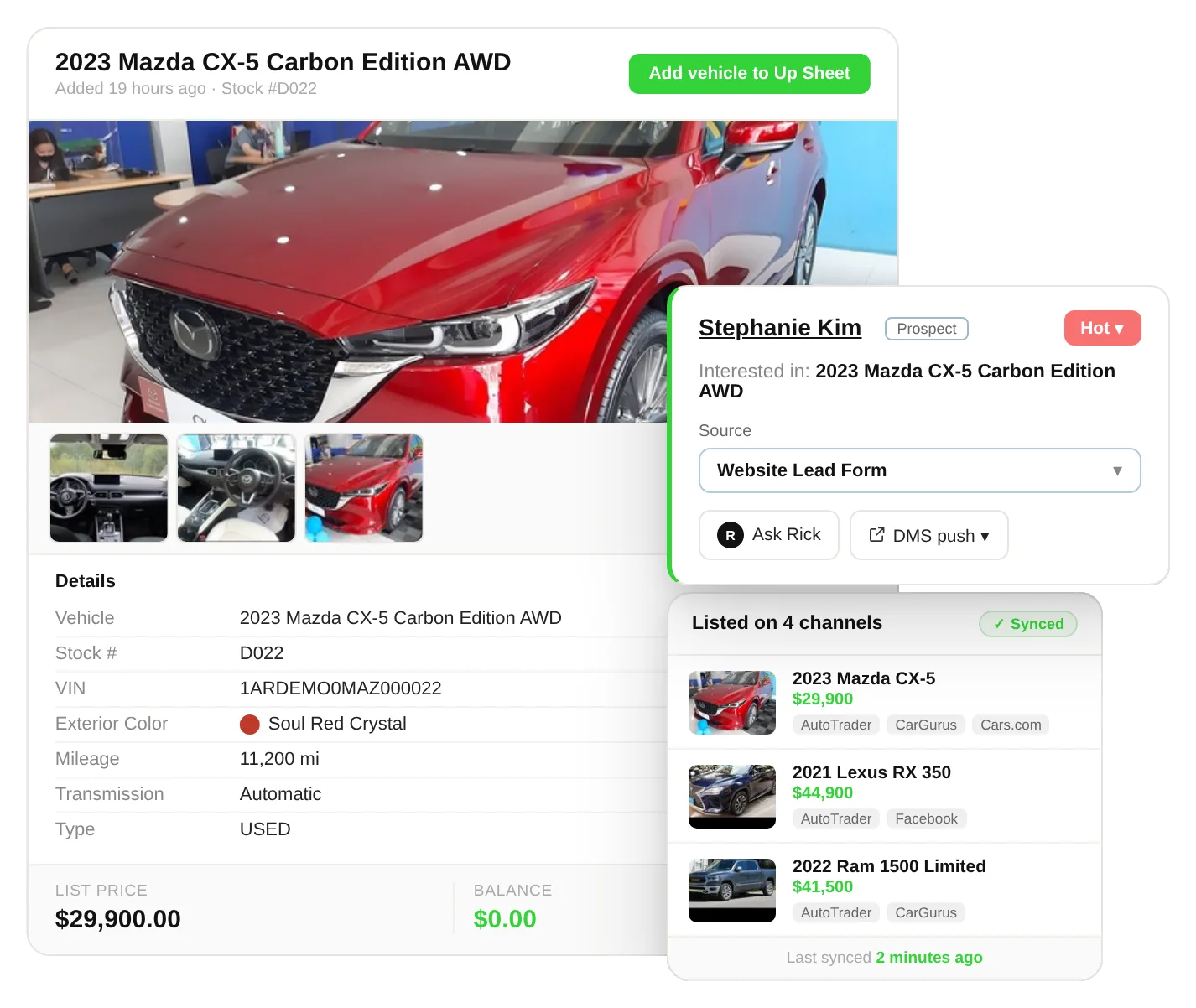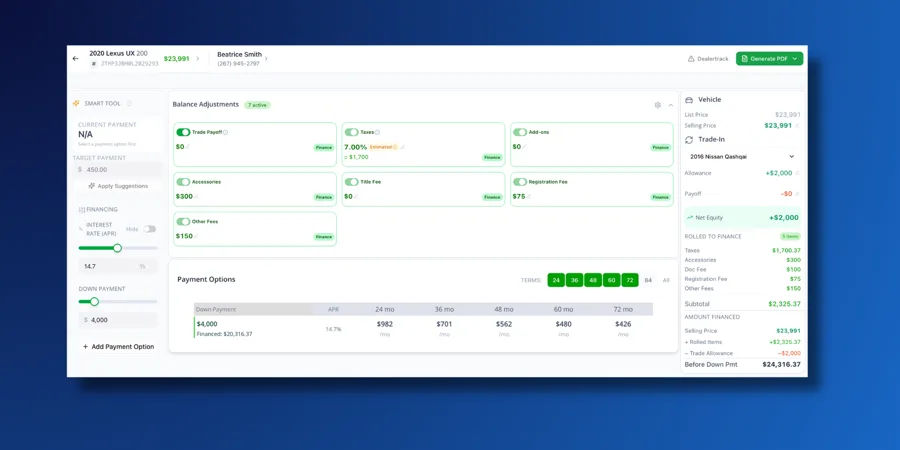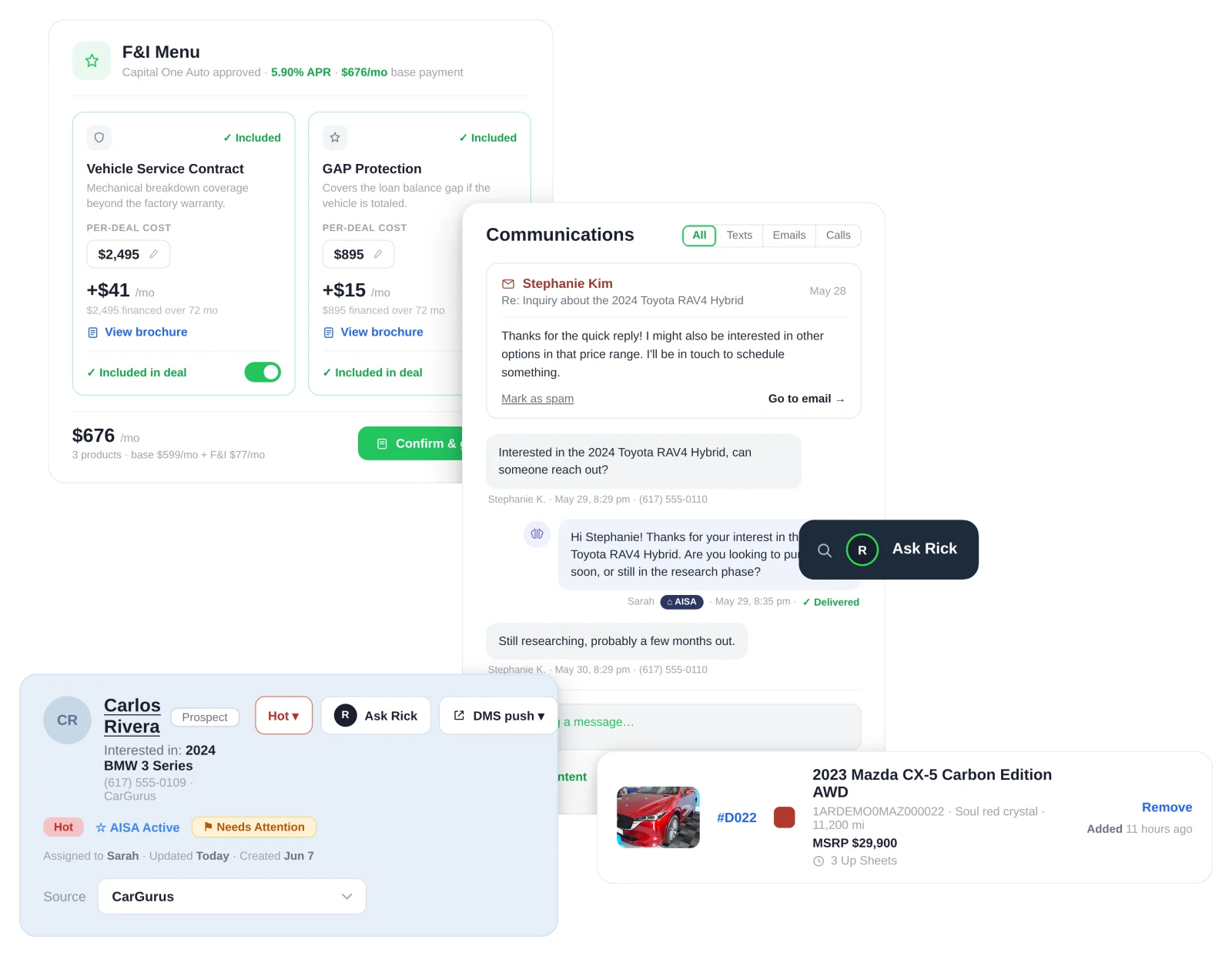
A DMS (dealer management system) runs the back office: inventory, deal accounting, F&I, parts and service. An automotive CRM runs the front end: leads, texting, follow-up, appointments and the sales process. Most dealerships need both, connected so a deal moves from the CRM into the DMS without anyone typing it twice.
“We already have a DMS. Why would we need a CRM?”
Dealers ask this question early when they evaluate new car dealership software, and it is a fair one. Both systems store customer names. Both appear in the sales office. Many DMS vendors now sell a CRM module, and some CRMs now handle desking.
A DMS and a CRM, however, answer different questions. The DMS asks: what did we sell, for how much, and is the paperwork correct? The CRM asks: who is shopping right now, who needs a call today, and why did that lead never come in? This guide explains the DMS vs CRM difference, shows where the two overlap, and helps you decide what your store needs first.
What is a dealer management system (DMS)?
A dealer management system (DMS) is the management software a dealership uses to run its back office. It serves as the system of record for every vehicle, deal and dollar that moves through the store.
A typical automotive DMS handles:
- Inventory management: stock numbers, VINs, costs, vehicle prep and aging
- Deal accounting: the deal jacket, taxes, title and registration fees
- F&I: financing options, contracts, warranties and aftermarket products
- Financial reporting: general ledger, payables, receivables and payroll
- Service operations: repair orders, parts inventory and technician time for the service department
- BHPH: payment schedules and collections for buy here pay here stores
The DMS market is concentrated. According to DealerTech Nerd’s DMS market report, about 80% of the US DMS market belongs to three providers: CDK Global, Dealertrack DMS and Reynolds and Reynolds. Independent dealers often choose lighter options like DealerCenter, which Podium describes as designed for independent auto dealers. If you are shopping for one, start with these features to look for in a dealer management system.
What does an automotive CRM do?
An automotive CRM (customer relationship management system) is the software a dealership uses to capture, track and follow up with shoppers until they buy, and then keep them coming back. It serves as the system of engagement for your sales teams.
A dealership CRM handles:
- Lead generation and capture: internet leads from your website, third-party sites, phone and walk-ins in one place
- Communication: texting, calling and email from the same screen, with every message logged
- Follow-up: tasks, reminders and automated cadences so no lead goes cold
- Pipeline: where every deal stands, from first contact to test drive to sold
- Inventory matching: which vehicles fit what the customer wants
- Desking and quotes: payment options and multi-vehicle quotes
- AI assistance: instant replies to new leads, day or night
- Reporting: response times, appointment rates and close rates by salesperson
Speed is where a CRM earns its keep. A Harvard Business Review study of 2,241 US companies found that businesses that contacted a lead within an hour were nearly seven times as likely to qualify it. The average response time was 42 hours.
A DMS was never designed to fix that problem. A CRM was. For the full picture, read our complete auto dealer CRM guide.
DMS vs CRM: key differences
The main difference between a DMS and a CRM is timing. A CRM manages everything before and after the sale. A DMS manages the sale itself and the operations behind it.
| DMS | CRM | |
| Main job | Run the back office | Sell more cars and keep customers |
| Role | System of record | System of engagement |
| Main users | Office manager, F&I, accounting, service department | Salespeople, BDC, sales managers |
| Core data | Vehicles, deals, costs, contracts | Leads, conversations, tasks, appointments |
| When it’s used | At and after the sale | Before, during and after the sale |
| Management features | Inventory, deal jacket, F&I, GL, parts and service | Lead capture, texting, follow-up, pipeline, AI replies |
| Success metric | Accurate deals, clean books | Response time, appointments, closing rate |
| Mobile use | Mostly desktop | Built for the lot and the phone |
| Cost for an independent | About $77 to $129 per month for entry-level systems | About $100 to $500 per user per month |
Cost ranges from Demand Local, citing DealerTech Nerd.
Can a DMS replace a CRM?
A DMS usually cannot replace a CRM. Most DMS platforms store customer contact details, but vendors did not build them for fast lead response, texting, automated follow-up or tracking where each shopper sits in the buying process.
Some DMS vendors bundle a basic CRM module. It can work for a small lot with a handful of leads a week. Once steady internet leads arrive, the gaps appear quickly: leads sit unanswered after hours, salespeople track follow-ups on their personal phones, and managers cannot see who called whom.
The reverse also holds. A CRM cannot replace your DMS, because it does not handle deal accounting, title work or the general ledger.
Signs your store has outgrown a DMS-only setup
Your store has outgrown a DMS-only setup when leads arrive faster than your team can track them by memory. Watch for these warning signs:
- Internet leads wait more than an hour for a first reply
- Salespeople keep customer notes in personal phones or notebooks
- Customers who visited once never hear from the store again
- Nobody can say which lead source produced last month’s sales
- Service customers never receive a trade-in or upgrade offer
If three or more of these sound familiar, customer satisfaction and closing rates are likely slipping, and a CRM should move to the top of your list. AutoRaptor’s dealership lead management tools are built to close exactly these gaps.
Does a small dealership need both a DMS and a CRM?
Most small dealerships need both, although not always on day one. Here is how it usually breaks down:
- Brand-new independent lot, under 10 cars a month. Start with a DMS to handle deals and paperwork. Add a CRM as soon as you run online ads or list on marketplaces.
- Growing independent dealership, 10 to 50 cars a month. You need both. Internet leads now supply most of your buyers, and a missed lead means a missed sale.
- BHPH store. You need a DMS with strong BHPH and collections tools, plus a CRM to handle new applicants and repeat customers.
- Franchise store. You already have a DMS from your OEM program. The CRM choice decides how fast your team responds and how well your BDC performs.
A simple test: if more than a third of your buyers first reach you online or by phone, a CRM should be the next tool you add. Still choosing a back-office system? Here is why auto dealer management software pays off. Independent stores can also see how a used car dealer CRM helps independents grow, and BHPH lots should review these buy here pay here software features.
[IMAGE 5 · p2-05-independent-used-car-dealership-dms-crm.webp] Alt text: Independent used car dealership deciding between a DMS and a CRM
How does a CRM integrate with a DMS?
A CRM integrates with a DMS by syncing customer, vehicle and deal data between the two, so each system stays current without double entry. A typical integration works like this:
- Inventory flows from the DMS to the CRM. Salespeople see live stock and pricing when they talk to a lead.
- Leads and customers live in the CRM. The CRM logs every call, text and appointment.
- The salesperson structures the deal in the CRM. Payments and quotes load with the customer’s details already filled in.
- The sold deal pushes to the DMS. Customer and deal details land in the DMS for contracting and accounting.
- Sold data flows back to the CRM. The customer moves into service and repeat-sale follow-up.
[IMAGE 4 · p2-04-crm-dms-integration-diagram.webp · PENDING: diagram to build in Figma or Canva] Alt text: Diagram of how a deal moves from the automotive CRM to the DMS
Before you buy, ask any vendor these integration questions:
- Is the integration two-way or one-way?
- How often does data sync: real time, hourly or daily?
- Does the DMS integration carry an extra fee?
- Who fixes the connection when the sync breaks?
For a deeper look, read our guide to DMS integration for car dealers or see AutoRaptor’s CRM integrations.
Should your DMS and CRM come from the same vendor?
Your DMS and CRM do not need to come from the same vendor, and a strong case exists for keeping them separate. A single vendor can simplify billing, but it also puts your whole store on one system.
That risk became concrete in June 2024. On June 19, CDK Global suffered a ransomware attack that took most of its services offline and disrupted thousands of dealerships across the US and Canada. Dealer losses reached about $605 million in the first two weeks, and nearly all dealers regained access only on July 4. Stores with a separate CRM could still see their leads, text customers and set appointments while the DMS was down.
When you choose, pick the best CRM for selling and the best DMS for your back office, and confirm that they connect. If you do change systems, this guide to managing DMS transitions covers the cutover.
[IMAGE 6 · p2-06-dealership-office-dms-outage-crm.webp] Alt text: Dealership office during a DMS outage with the CRM still working
How much do a DMS and a CRM cost?
A DMS for an independent dealer costs about $77 to $129 per month at the entry level, while large franchise DMS contracts cost far more. DealerTech Nerd puts average DMS spend at about $6,300 per month per site, the highest of any dealer technology category. DMS implementation can run $5,000 to $25,000+, according to Demand Local.
A dealership CRM usually costs about $100 to $500 per user per month for franchise-grade tools, while CRMs built for independent dealers often price by plan instead of per seat. Watch for setup fees, texting limits and integration charges. We break down real numbers in our automotive CRM pricing comparison.
What should you look for in a dealership CRM?
Automotive businesses that pair the right CRM with their DMS deliver better customer experiences at every step of the sale. If you already run a DMS, choose a CRM that fills the gaps it leaves:
- Instant response to new leads, including after hours
- Texting, calling and email in one inbox
- A mobile app your team uses on the lot
- Automated follow-up that does not depend on memory
- A clean DMS integration with no double entry
- Reports that show response time and appointment rates by salesperson
AutoRaptor’s automotive CRM serves independent and small franchise dealers. It puts texting, calling and email in one place, responds to leads with an AI sales assistant, and connects to your DMS so deals move without retyping. It also adds digital retail tools like soft-pull credit and trade-in value.
Keep your DMS. Sell more with AutoRaptor. Book a demo and see how AutoRaptor syncs with your DMS in a live walkthrough.
Frequently asked questions about DMS vs CRM
Is a DMS the same as a CRM? No. A DMS runs the back office: inventory, deals, F&I and accounting. A CRM manages leads, follow-up and customer relationships before and after the sale.
What does DMS stand for in car sales? DMS stands for dealer management system, the software that manages a dealership’s inventory, deals, financing, accounting, and parts and service.
What are the most common dealer management systems? CDK Global, Dealertrack DMS and Reynolds and Reynolds hold about 80% of the US market. Independent dealers often use DealerCenter and similar lighter systems.
Can I use a CRM without a DMS? You can, but you will still need a system for deal accounting, titles and contracts. Most dealers run a CRM alongside a DMS.
Which should I buy first, a DMS or a CRM? Most new lots start with a DMS for deals and paperwork, then add a CRM once online leads become a main source of buyers.
Is a CRM worth it for a small used car dealership? Yes, if you receive internet or phone leads. Faster follow-up is the quickest way for a small lot to sell more cars without spending more on ads.
Do DMS and CRM integrations cost extra? Sometimes. Some vendors charge a setup or monthly fee for the DMS connection. Ask for integration costs in writing before you sign.