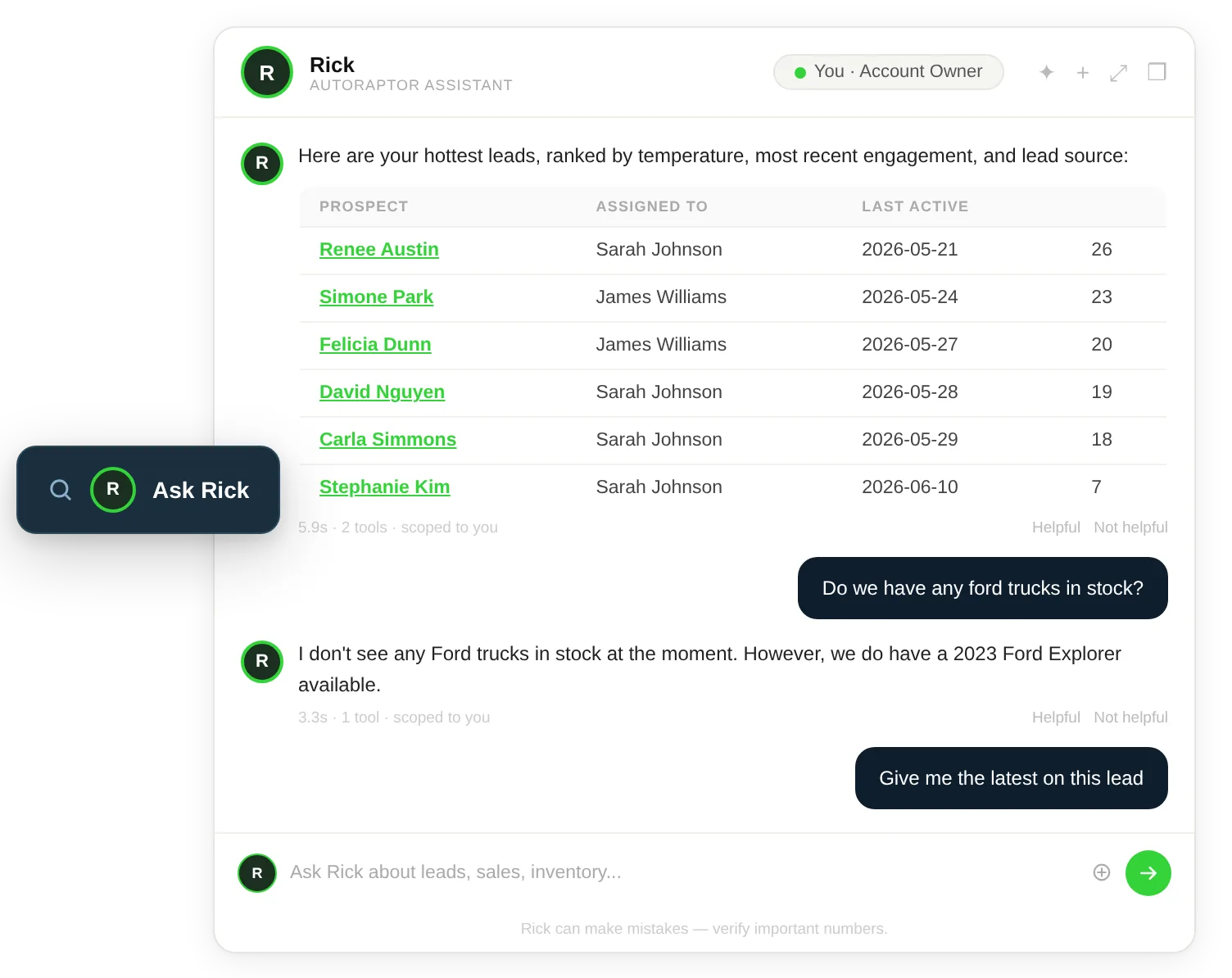
Ask anything about your leads and pipeline: Type a question the way you'd say it out loud — "show me my hottest leads I haven't called today" — and Rick returns a ranked, filtered answer with links straight to the Up Sheets. No building views, no manual filtering.
Dealership AI Assistant
Ask Your Dealership Anything
Rick is the AI assistant built into AutoRaptor. Ask anything in plain English and get instant answers with tables, charts, and links — then tell Rick to take action, from creating an Up Sheet to sending a follow-up text. And Rick doesn't just wait for questions: it proactively surfaces the leads, deals, and tasks that need you, before you have to ask.
See if AutoRaptor fits your dealership in 10 minutes.
Core capabilities
Ask Anything. Get It Done. Stay Ahead.
Rick does three things no dashboard can: it answers your questions in plain English, takes action when you ask, and surfaces what needs your attention on its own. Every answer and every action respects your role's permissions, so people only ever see and do what they're allowed to.
Lead & Pipeline Intelligence
“Which leads are hottest right now?” “Who haven't we contacted in three days?” “How many leads came in today versus last week?” “What's stuck in the same status?”
Sales Performance & Reporting
“How are we tracking versus last month?” “Who's my top rep?” “What's my conversion rate by lead source?” “Show me my sales trend over six months.”
Inventory Intelligence
“What's aging past 60 days?” “What's our most popular make and model?” “Which unsold vehicles are getting the most interest?” “What's had a recent price drop?”
Customer Profiles & Conversations
Ask Rick to tell you everything about a customer — full profile, visit history, vehicles of interest, trade-in, timeline, and even the Up Sheet you're viewing.
Quick Actions — Done by Asking
Tell Rick to create an Up Sheet, assign a lead, mark a bad lead, schedule an appointment, log a note, change a status, or draft and send a text — all from the chat, all within your permissions.
From a Question to Done — and the Things You'd Have Missed
Most CRMs make you go looking for information. Rick brings it to you. Ask anything about your leads, pipeline, team, or customers — and get a direct answer, with the data to back it up, ready to act on.
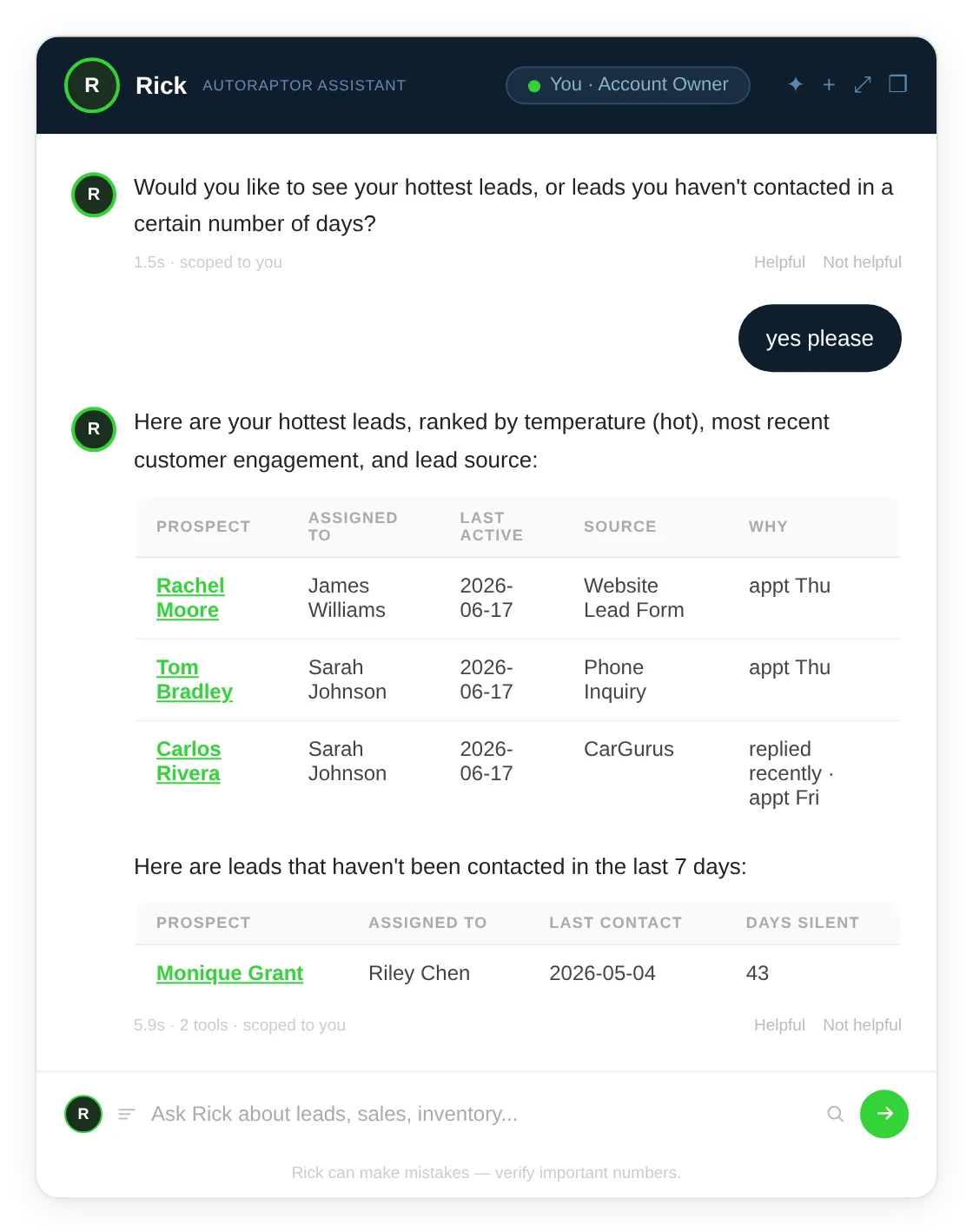
Know your numbers without building a report: "How are we tracking versus last month?" "What's my conversion rate by source?" Rick answers conversationally with the chart or table to back it up, so managers and owners get the picture instantly without opening a dashboard.
The full story on any customer, instantly: Ask Rick to pull up a prospect and get their complete profile in one answer — visit history, vehicles of interest, trade-in details, last appointment, and full timeline. Because Rick knows the record you're viewing, you don't even need to type a name.
Run your day and your team by asking: "What's on my to-do list?" "What's overdue?" "Who has the most uncontacted leads?" Rick keeps your day in front of you and gives managers a real-time view of team activity, rep performance, and pipeline health — all permission-gated.
Get it done without leaving the chat: Rick doesn't just answer questions — it takes action. Create an Up Sheet, assign a lead, schedule an appointment, log a note, or send a follow-up text with a single ask. Everything respects your permissions and lands on the right record automatically.
Rick tells you first: Hot leads that haven't been contacted, a dip in appointment show rate, aging inventory, overdue follow-ups, AISA escalations — Rick surfaces what needs attention before you think to ask, so nothing slips through the cracks.
Ask. Get an Answer. Get It Done.
No training. No syntax. Just type. Rick answers with your real AutoRaptor data, gives you clickable context, and lets you act right there.
Ask
Rick lives in a slim prompt bar anchored to the bottom of every screen. Type or click, and it expands into a chat window. On mobile, it opens full-screen.
Rick answers with your real data
Rick pulls from your live AutoRaptor data and answers with tables, charts, and clickable links — streaming the response as it goes, and respecting your role's permissions on everything it returns.
Act on it, right there
Click through to the Up Sheet or vehicle, or tell Rick what to do next — create the Up Sheet, schedule the appointment, send the follow-up — and it's handled. Your conversation history persists across sessions.
Connected workflow
One connected workflow. Clear next steps for every team.
Ask & Act
Rick answers questions, takes action, and surfaces what needs you
Plain English
Ask the way you'd ask a colleague. No syntax, no report builder, no training
Role-Aware
Every answer and every action respects the same permissions as the rest of AutoRaptor
Explore more AutoRaptor
Features that work even better together
If this feature fits how your dealership sells, these related tools can help your team connect the next step.
-
The Assistant Your Team Will Actually Use
Rick is built to feel like part of AutoRaptor: a prompt bar on every screen, real answers from real data, and actions your team controls.
See reviews
4.6/5
1200+ reviews -
Jesse Hellem
Owner of 615 Auto Sales
“I interviewed 10 different CRM companies, and I don't see anyone else doing it quite like you guys are. One of the things I liked the most is that everything fell under the same umbrella: your CRM and AI fuse.”
-
Omar Haseeb
Owner of Ultimate Motorsport Inc
“The ROI is off the charts. We sell 85 to 100 cars a month with just three sales guys.”
Questions About Rick
Answers to common questions about Rick, the AI copilot built into AutoRaptor.
Rick is the AI copilot built into AutoRaptor. You ask questions in plain English about your leads, pipeline, inventory, performance, team, and customers, and Rick answers instantly with tables, charts, and clickable links. It also takes action when you ask — creating Up Sheets, scheduling appointments, sending texts — and proactively surfaces what needs your attention. It lives in a prompt bar on every screen and respects your role's permissions.
They do opposite jobs. The AI Sales Assistant works your customers — it responds to inbound leads, qualifies buyers, and books appointments. Rick works for your team — it answers your questions, takes action on your behalf, and keeps you ahead of what's happening in the business. One talks to buyers; the other works alongside you.
Almost anything in AutoRaptor: your hottest leads, leads not contacted in a few days, sales versus last month, conversion by source, aging inventory, your to-do list, overdue follow-ups, a full profile on any customer, and a summary of your last conversation with a prospect. Managers can also ask about team performance and activity.
Yes. Tell Rick to create an Up Sheet, assign a lead to a rep, mark a bad lead, schedule an appointment, log a note, change a prospect's status, or draft and send a follow-up text — all from the chat. Rick handles it within your permissions, and anything that goes out to a customer waits for your go, so you stay in control.
Both. Beyond answering, Rick surfaces things on its own: hot leads not contacted today, drops in your appointment show rate, aging inventory, reps with overdue follow-ups, AISA escalations, and progress toward your monthly target — so the things that matter reach you without you having to ask.
Yes. Every answer Rick gives and every action it takes enforces the same role-based permissions as the rest of AutoRaptor — reps work within their own data, managers get team views — and it's built with guardrails around access and output.
Yes. The prompt bar adapts to mobile and opens as a full-screen chat on tap, so you can ask Rick — and act — from the lot or the road.
Yes. Your conversation history persists across sessions, so you can resume a thread and ask follow-up questions without starting over.
Car Dealership AI for Faster CRM Answers
Car dealership AI doesn't have to mean automated lead response or outbound calling. For sales managers, dealer principals, and experienced reps, the most valuable AI is often one that helps them get faster answers from their own CRM data without running reports, asking IT, or waiting for a weekly summary.
Rick is AutoRaptor's in-app AI assistant, built specifically for dealership teams who need to move quickly. Ask Rick anything in plain English — which leads need follow-up today, how a specific rep is tracking this month, what inventory has been sitting past 60 days, or what a customer's full purchase history looks like — and get an immediate answer with supporting data, tables, or links to the relevant records. Rick can also take action: creating Up Sheets, sending follow-up messages, or updating lead status on command.
Unlike the AI Sales Assistant or AI Voice Agent, which are focused on buyer-facing interactions, Rick is an internal tool for the people running your dealership. It's car dealership AI designed to surface the information your team already has in AutoRaptor, faster and in a format that's actually usable. Explore how Rick works alongside AutoRaptor's reporting and CRM tools to give managers and reps better access to the data behind every decision.
Car dealership AI doesn't have to mean automated lead response or outbound calling. For sales managers, dealer principals, and experienced reps, the most valuable AI is often one that helps them get faster answers from their own CRM data without running reports, asking IT, or waiting for a weekly summary.
Rick is AutoRaptor's in-app AI assistant, built specifically for dealership teams who need to move quickly. Ask Rick anything in plain English — which leads need follow-up today, how a specific rep is tracking this month, what inventory has been sitting past 60 days, or what a customer's full purchase history looks like — and get an immediate answer with supporting data, tables, or links to the relevant records. Rick can also take action: creating Up Sheets, sending follow-up messages, or updating lead status on command.
Unlike the AI Sales Assistant or AI Voice Agent, which are focused on buyer-facing interactions, Rick is an internal tool for the people running your dealership. It's car dealership AI designed to surface the information your team already has in AutoRaptor, faster and in a format that's actually usable. Explore how Rick works alongside AutoRaptor's reporting and CRM tools to give managers and reps better access to the data behind every decision.
Stop Digging. Just Ask Rick.
Give your team an AI copilot that knows your whole dealership — one that answers any question in plain English, takes action the moment you ask, and surfaces what needs you before you even think to look. All inside AutoRaptor.
Ask in plain English
Take action by asking
Proactive alerts before you ask
Respects your permissions
From the AutoRaptor blog
Learn More About AI in the Dealership
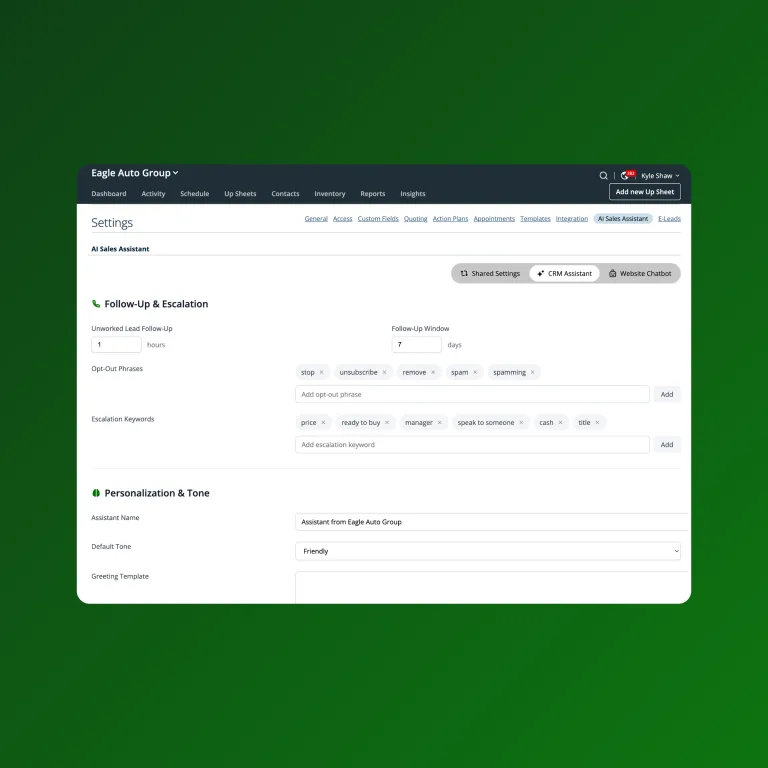
7 Key Performance Indicators for Sales That Track Success and Pinpoint Weaknesses in Your Dealership
Want better insights into your dealership’s sales triumphs and slumps? Use these key performance indicators for sales consistency throughout the whole year. Your sales teams seem to be performing well, yet the financials this quarter are way down. Why? It could be a lack of insight in sales measurements. Car dealerships usually analyze performance in […]

5 Areas of Dealership Performance You Can Always Improve
Discover the top 5 areas of dealership performance that are ripe for improvement.
Role and Responsibilities of a Car Sales Manager
Discover the vital role and diverse responsibilities of a car sales manager in this insightful article.